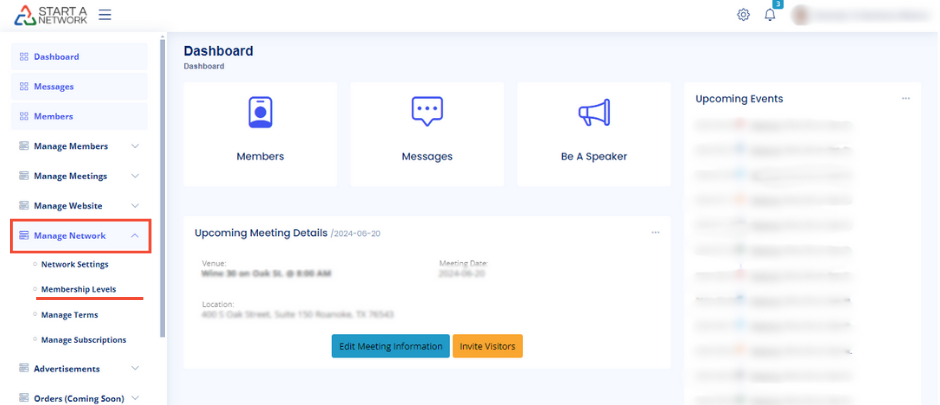
To begin, navigate to your dashboard, find Manage Network in the left-hand menu, and click on Membership Levels. Keep in mind that this feature is exclusive to Pro Plan users. Not on the Pro Plan yet? Upgrading is quick and easy—details are available in your dashboard.
If this is your first visit to the Membership Levels section, you’ll need to complete identity verification through Stripe before setting up levels or accepting payments. We’ve included a link in the description for detailed instructions, but here are some quick tips:
- Use an email address you control. Losing access to it could mean losing access to your payment gateway.
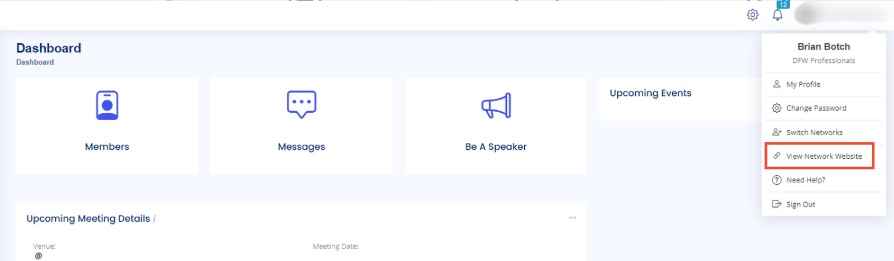
- Have your network’s website URL handy. You can find this by clicking your profile picture and selecting View Network Website.
Creating Membership Levels
Once you’re verified, it’s time to create your first membership level:
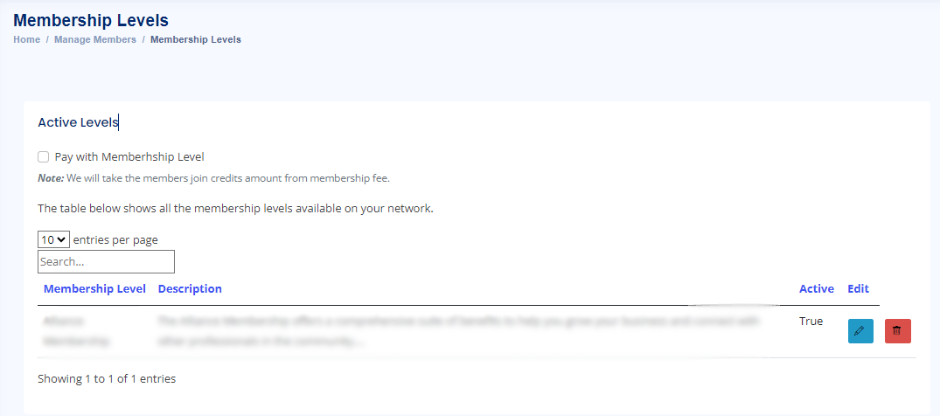
- Click Create a New Membership Level.
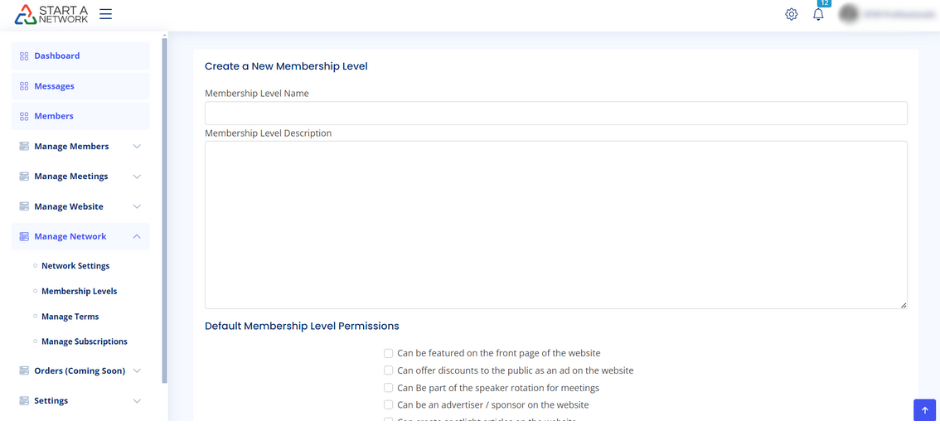
- Cover Join Credits: Decide if you want to cover your members’ join credits, a small annual fee for using StartANetwork. We recommend this for seamless onboarding.
- Credits can be deducted from the first member payment or paid via credit card.
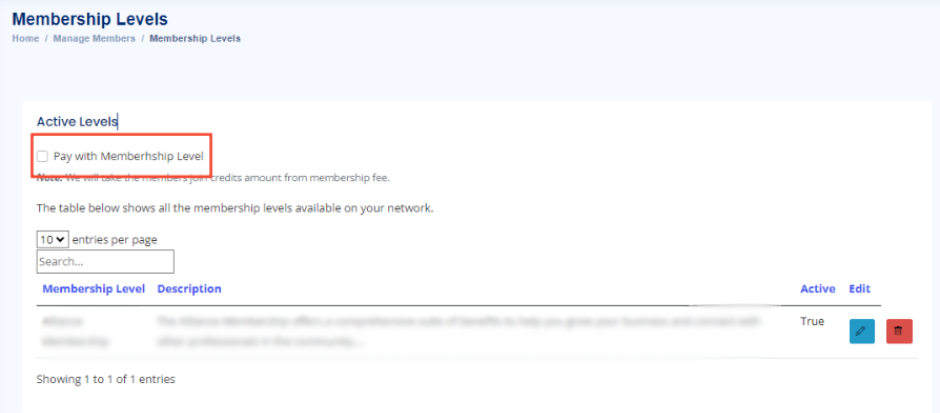
- Credits can be deducted from the first member payment or paid via credit card.
- Choose a Name and Description: Pick a catchy name (e.g., “John’s Coffee Club Basic”) and provide a description to help members understand the benefits.
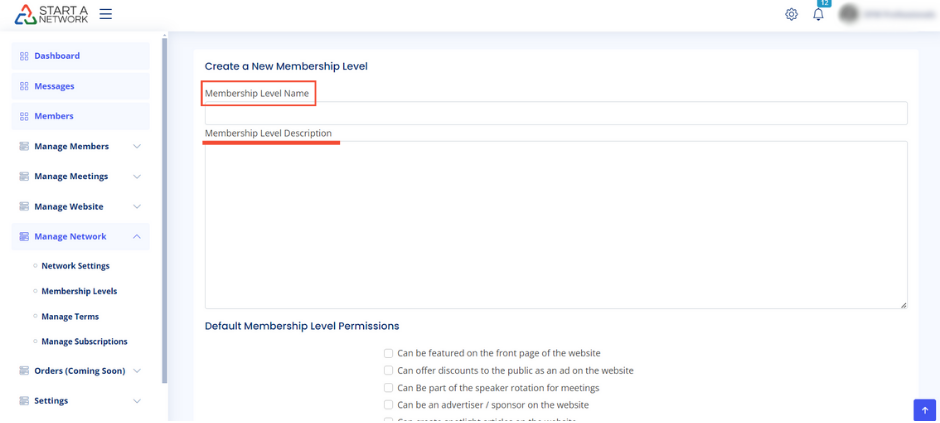
Setting Permissions
Permissions determine what members can do in your network. Choose from five options:
- Featured on the front page
- Offer public discounts
- Be part of the speaker rotation
- Advertise on the site
- Create spotlight articles
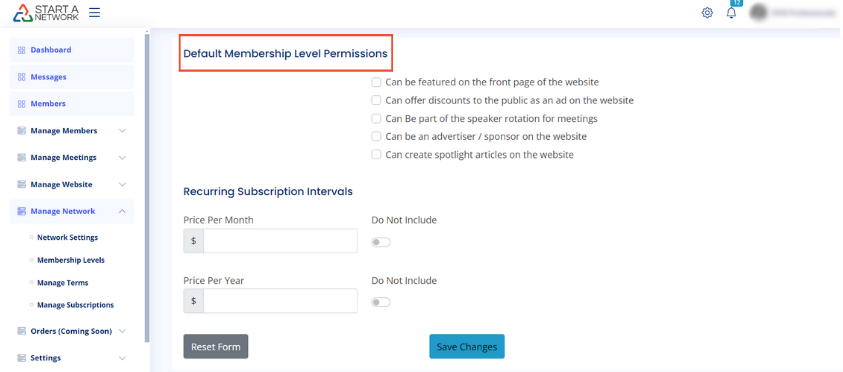
Pricing Your Membership
Set up recurring subscription intervals—monthly, yearly, or both. Simply toggle off intervals you don’t want to offer. If you make a mistake, use the reset button to start fresh.
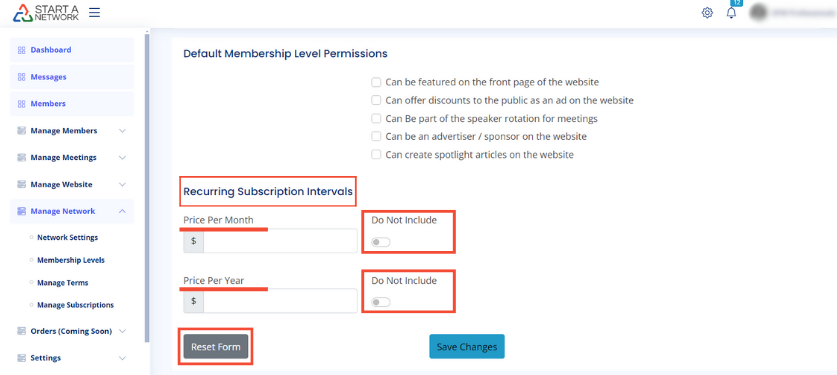
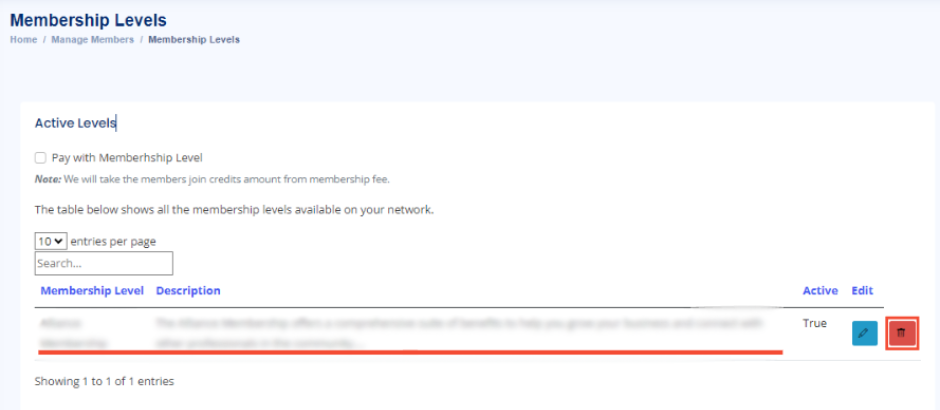
When you’re satisfied with your setup, click Save Changes. Your active membership levels will appear with options to edit or delete them.
Final Touches
Once your levels are live, start inviting members and watch your network grow! Remember, you can create as many membership levels as you want, but keep options manageable for your members.
There’s a lot more to explore with membership levels, including what your members see and managing subscriptions.