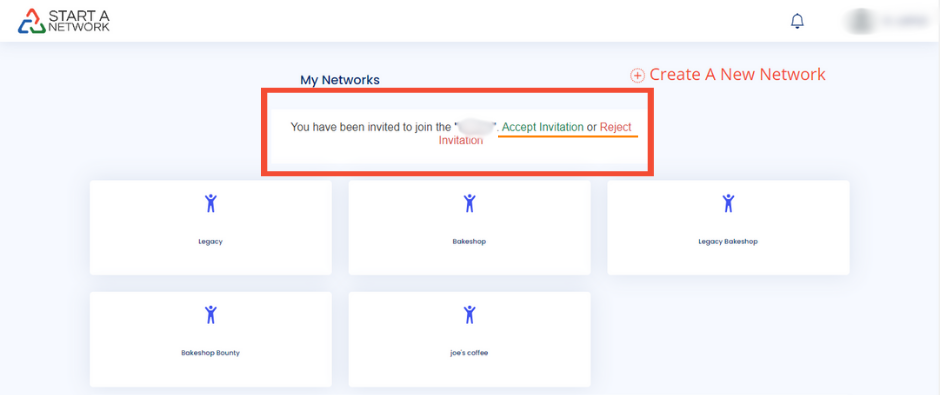
Access Your Dashboard:
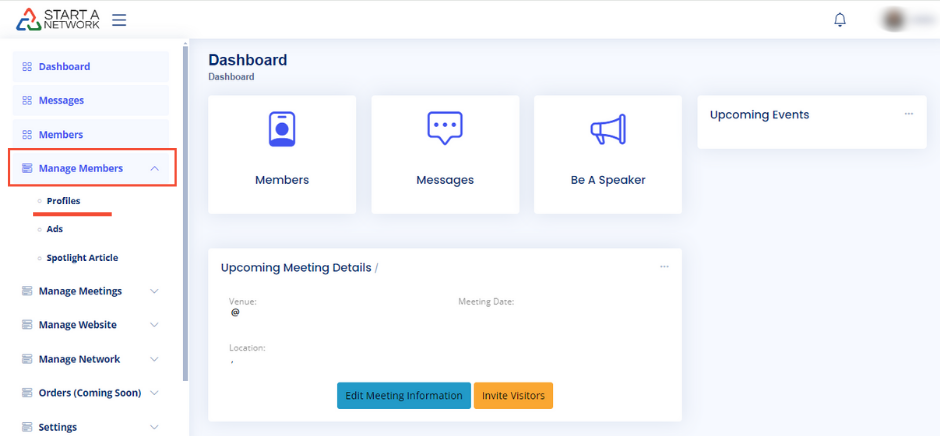
- Click on Manage Members from your dashboard.
- Choose Profiles to enter the Network Members administration panel.
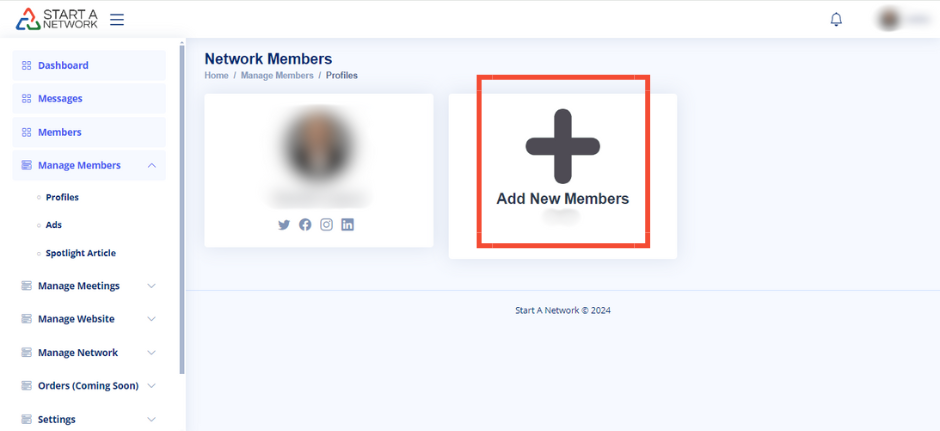
Add a New Member:
- Look for the blank profile image with a “+” icon labeled Add New Members.
- Click the “+” and provide:
- First and last name.
- Email address (ensure it matches their StartANetwork account if they already have one).
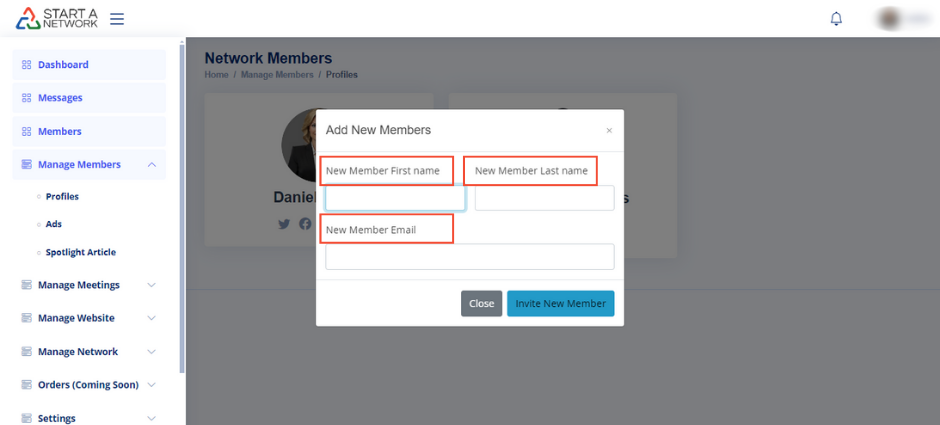
- Click Invite New Member to send the invitation.
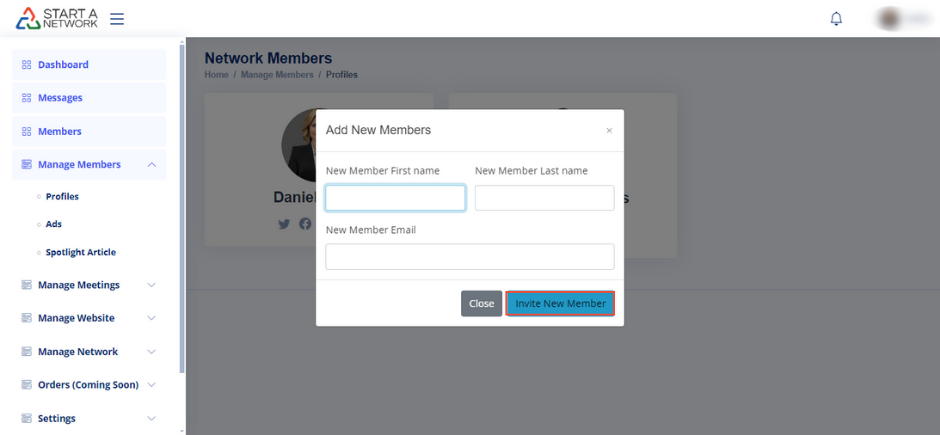
Member Invitation Process:
- Invited members will receive an email with a link to accept or decline the invitation.
- Once accepted, they’ll immediately join your network.
- If you’re monetizing your network, new members must pay dues before joining.