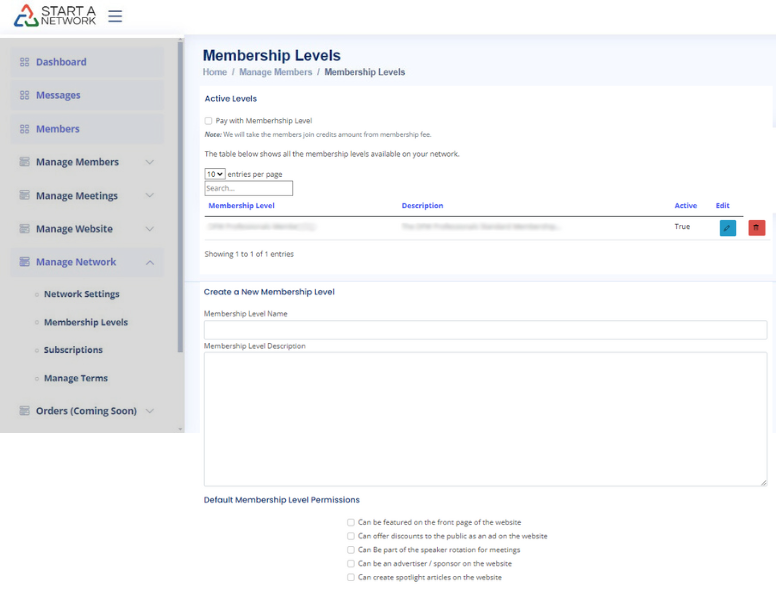
a key step in monetizing your network by allowing you to charge membership fees.
Why is KYC important?
At StartANetwork, we prioritize privacy and security. Through our partner Stripe, the KYC (Know Your Customer) process ensures that your identity is verified, enabling secure transactions for you and your members.
Pre-Flight Checklist
Before starting, gather the following:
- Personal Information:
- Last four digits of your Social Security Number (SSN).
- A valid ID (driver’s license or passport).
- Bank Details:
- Routing and account numbers for deposits.
- Business Information (if applicable):
- Employer Identification Number (EIN).
- IRS letter with your EIN and business name.
- Network URL:
- Obtain this by clicking on “View Network Website” from your profile. Copy and save the URL.
Pro Tip: If operating as a business entity, ensure your bank account is also a business account.
Already Using Stripe?
If you have an existing Stripe account, connect it to StartANetwork, and you’re good to go! If not, we’ll guide you through setting one up.
Let’s Get Started!
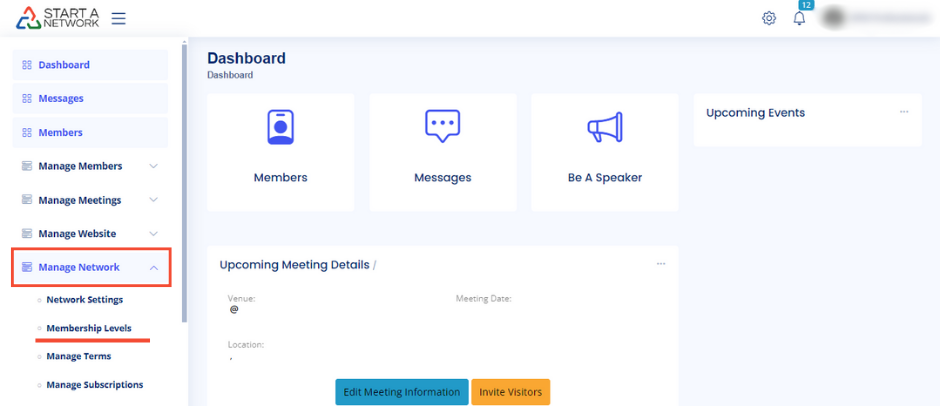
- Navigate to your left-hand menu.
- Click “Manage Network” > “Membership Levels” (available to Pro Plan networks only).
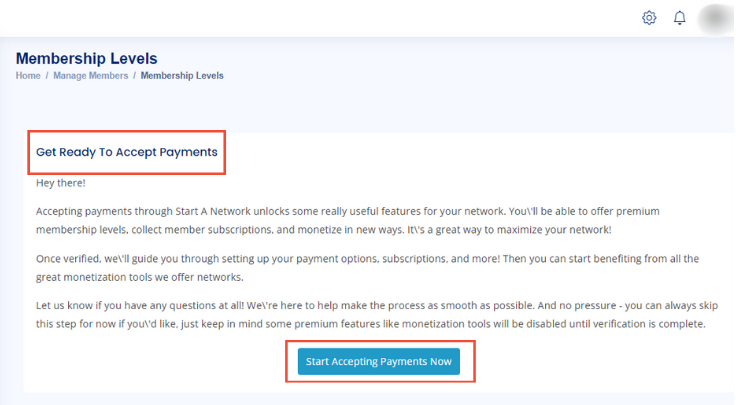
- Follow the prompt to start the verification process with Stripe.
The KYC Steps
Stripe will guide you through:
- Personal Information:
- Enter your name, date of birth, and address.
- Business Information (if applicable):
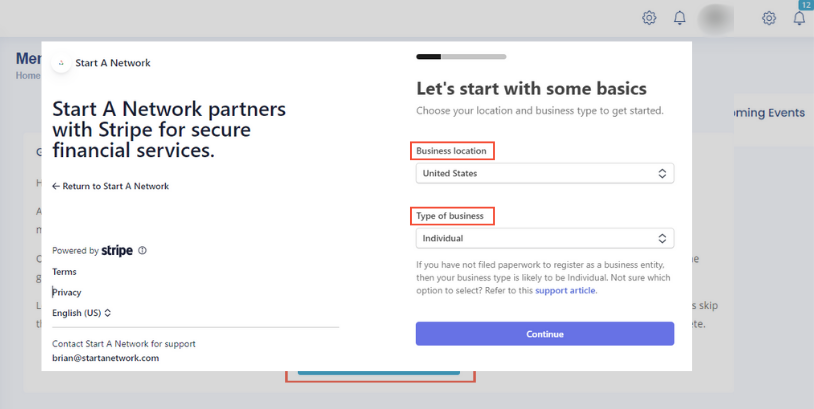
- Select your business type (e.g., sole proprietor, LLC).
- Provide your EIN and exact business name.
- Bank Account Setup:
- Link your bank account for payouts.
- Document Upload:
- Upload required documents for identity verification.
- Review & Submit:
- Ensure all details are accurate before submitting.
Stripe Portal Walkthrough
- Email: Use an email address you control for long-term access.
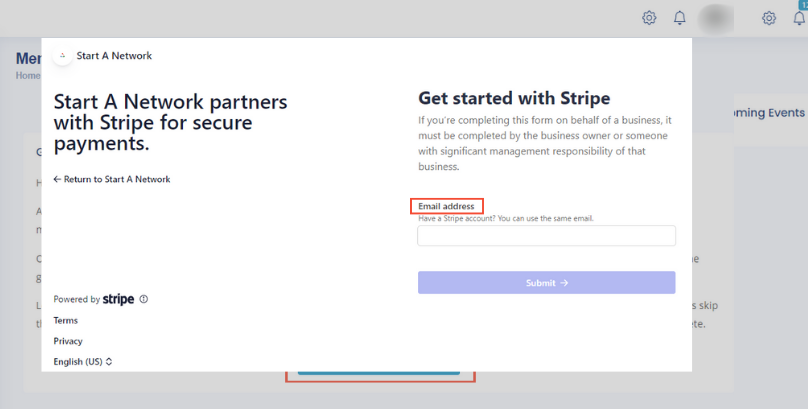
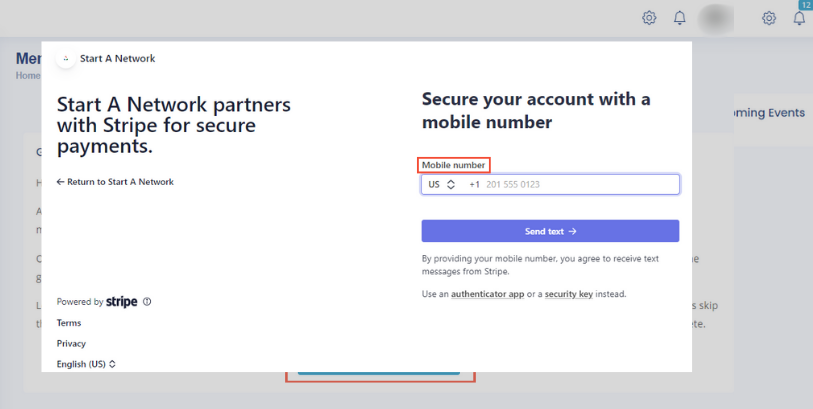
- Mobile Verification: Enter your phone number, receive a code, and store the backup code securely.
- Business Details:
- Select Membership Organizations as your industry and Other Membership Organizations as the sub-industry.
- Describe your network briefly (e.g., “A business network for referrals and support”).
- Bank Account:
- Enter routing and account numbers or select an integrated institution.
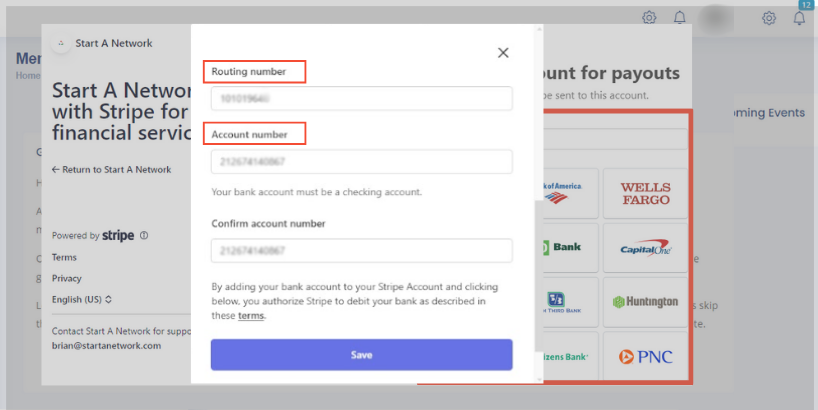
- Enter routing and account numbers or select an integrated institution.
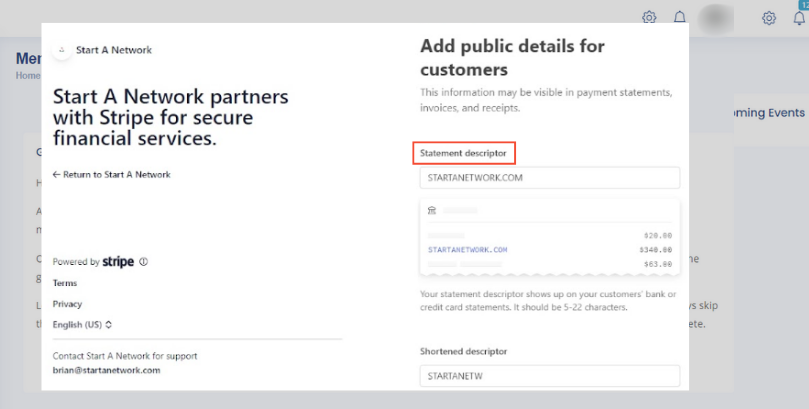
Statement Descriptor: Default is STARTANETWORK.COM. You can customize it to reflect your network name.
Verification and Completion
- Stripe processes your details, typically within minutes.
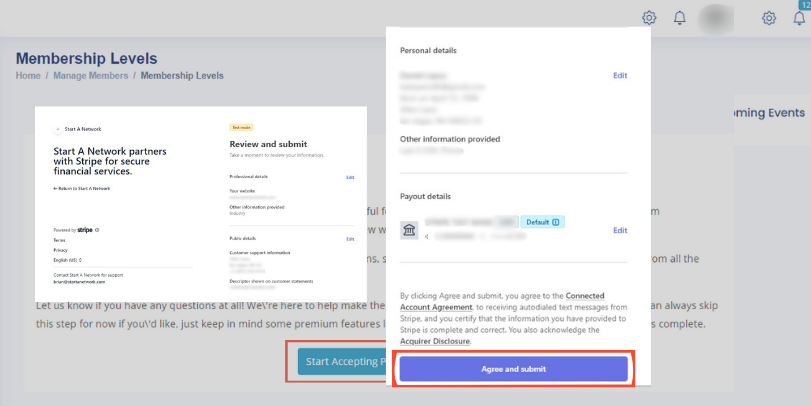
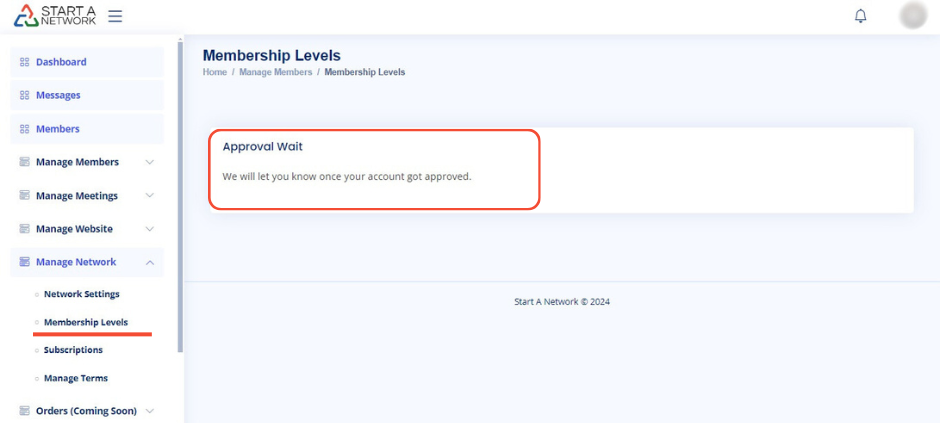
- Upon successful verification, return to your dashboard to set up membership levels.
Next Steps
- Navigate back to “Membership Levels” in your dashboard.
- If verified, start setting up membership levels and invite members to join your network.