Accessing Your Master Profile
- Log into the StartANetwork platform.
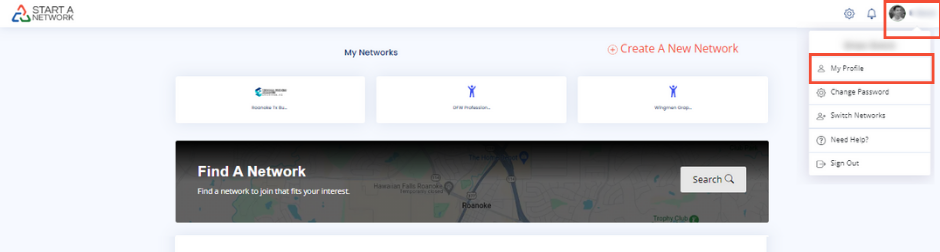
- Click on the circle icon at the top right corner of the homepage.
- Select “My Profile” to open your Master Profile.
Completing Your Master Profile
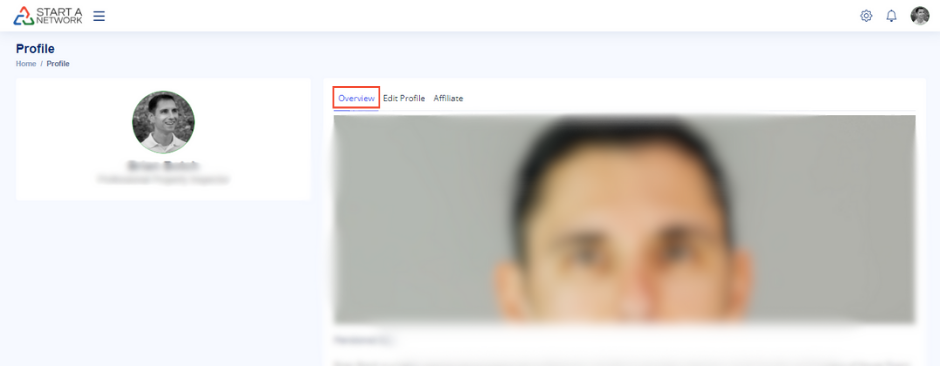
- Overview Tab: View your profile as others will see it.
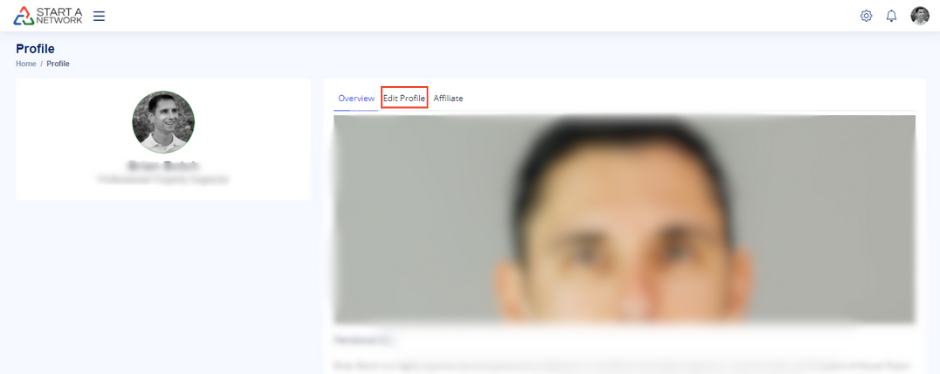
- Edit Profile Tab: Click here to make changes.
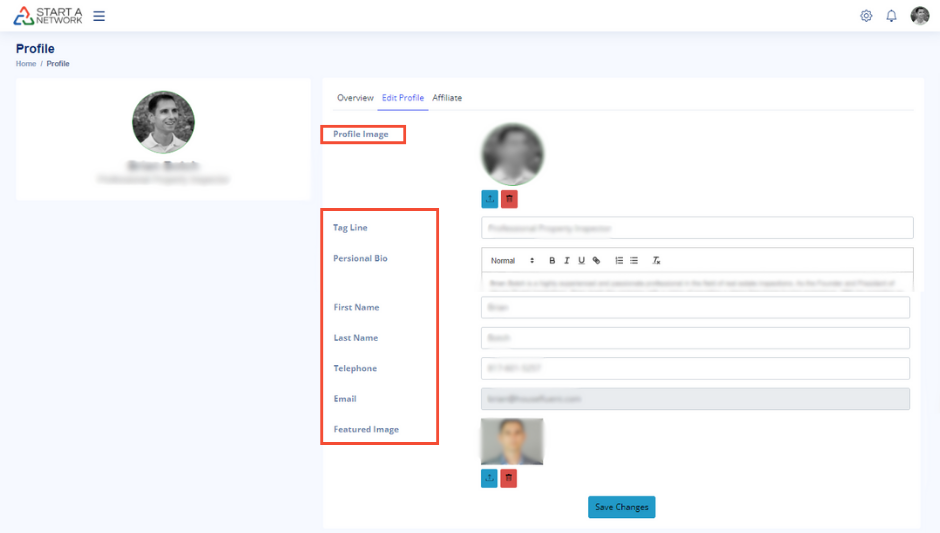
- Upload a profile image (this will be used across all networks you join).
- Add a Tagline (your job title or a short description of yourself).
- Write your Personal Bio to introduce yourself, showcasing who you are and what you do.
- Add Contact Information (phone number and email) – shared only with network owners when you inquire about a network.
- Upload a Featured Image to visually enhance your profile.
Using the “Find a Network” Feature
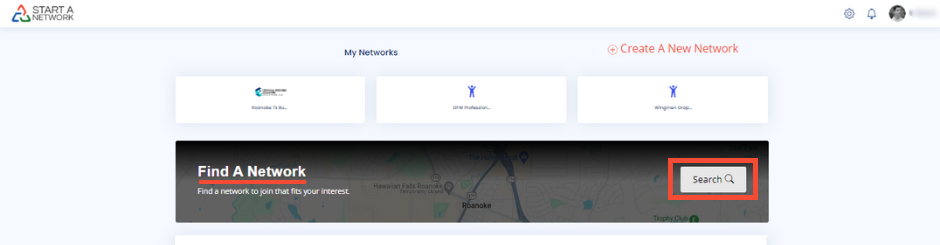
- Click on Find a Network on your Network Home Page.
- Use the Search icon to discover local networks.
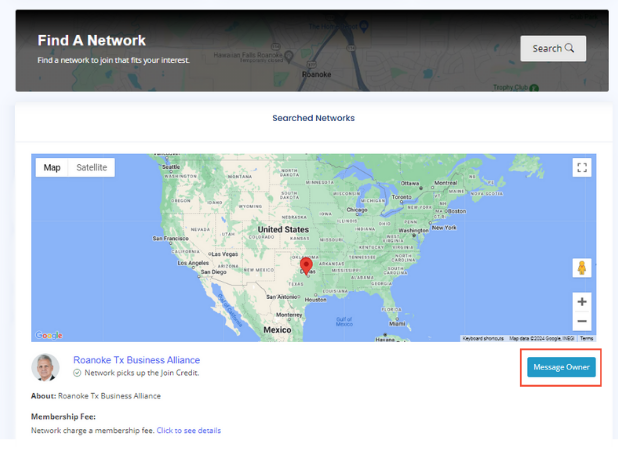
- When you find a network you want to join, click Message Network Owner.
- Your Master Profile is automatically sent to the network owner, allowing them to view your details.
Personalizing Your Network-Specific Profile
- Once accepted into a network, navigate to the network’s homepage.
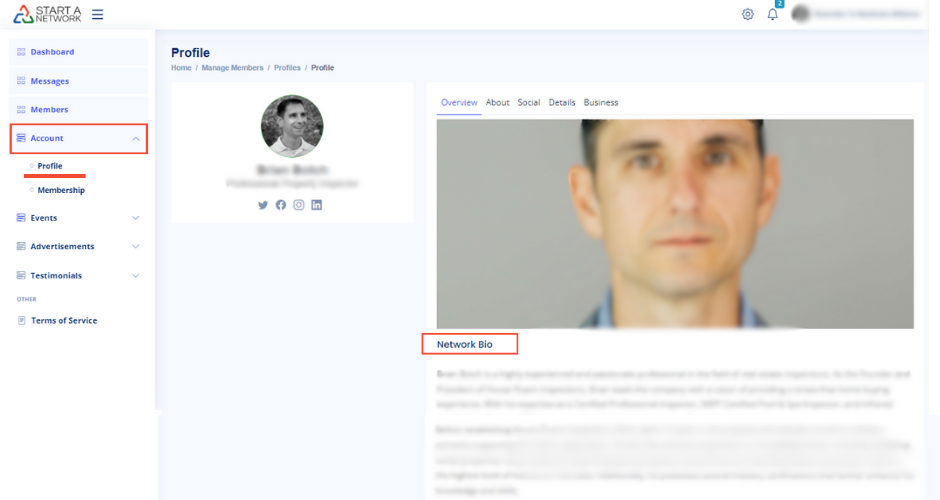
- Enter the network’s dashboard and click Account > Profile.
- Edit your Network-Specific Profile to match the network’s focus.
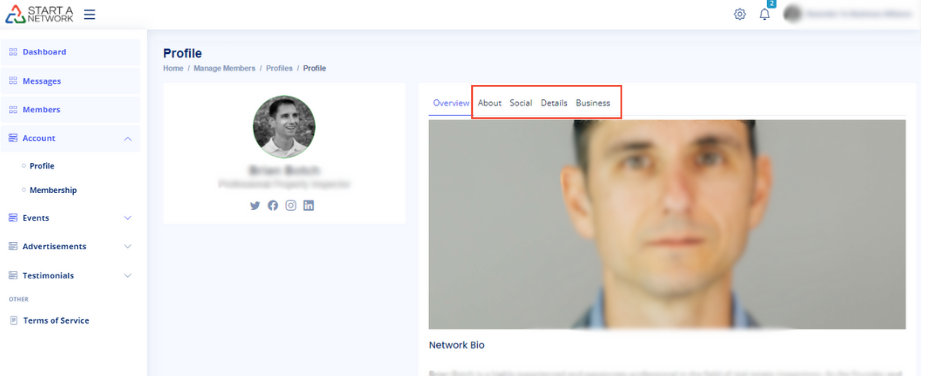
Editing Your Network-Specific Profile Your Network-Specific Profile consists of four sections:
- About: Upload a featured image, define your role, and write a network-specific bio.
- Social: Add your social media links (Facebook, LinkedIn, Instagram, etc.).
- Details: Include professional highlights and achievements, showcasing impressive facts about your career or business.
- Business: Provide essential business details, such as name, phone number, email, website, and logo.
Viewing Your Profile on the Network Website
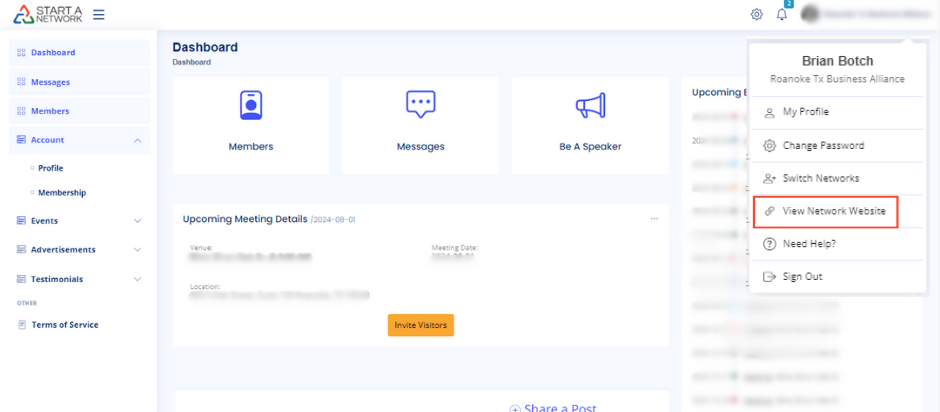
- Click your photo in the top right corner and select View Network Website.
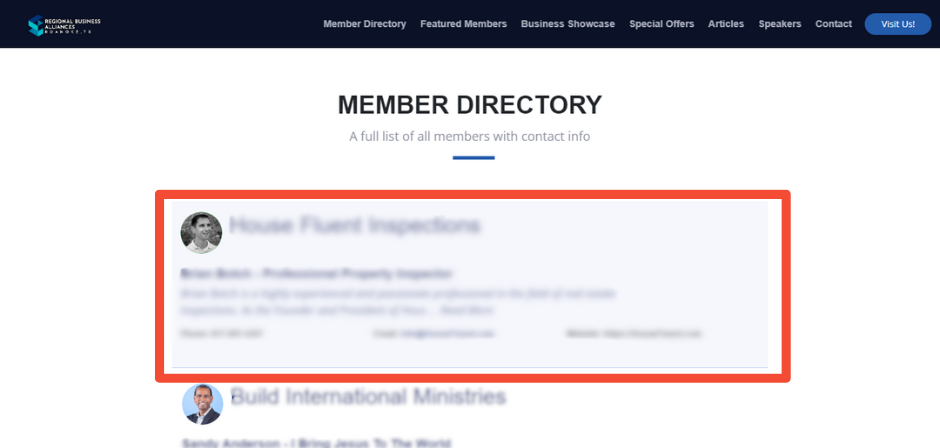
- Navigate to the member directory to view your profile.

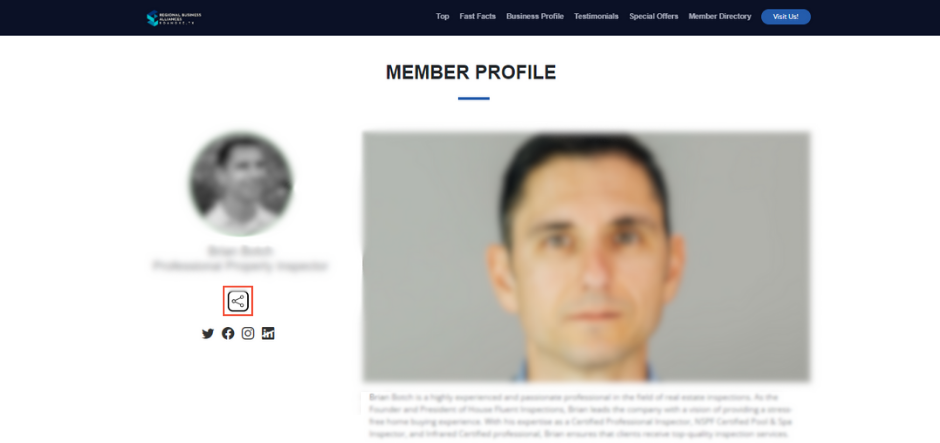
- Check how your information is displayed, including your bio, fast facts, and social media links.
- Share your profile with others to expand your network.
Finalizing Your Network-Specific Profile
- Review each section to ensure your profile highlights relevant details for that specific network.
- Update or change any section as needed to match the network’s theme or focus.